Track
Every application in one pipeline, with the version you sent
What it does
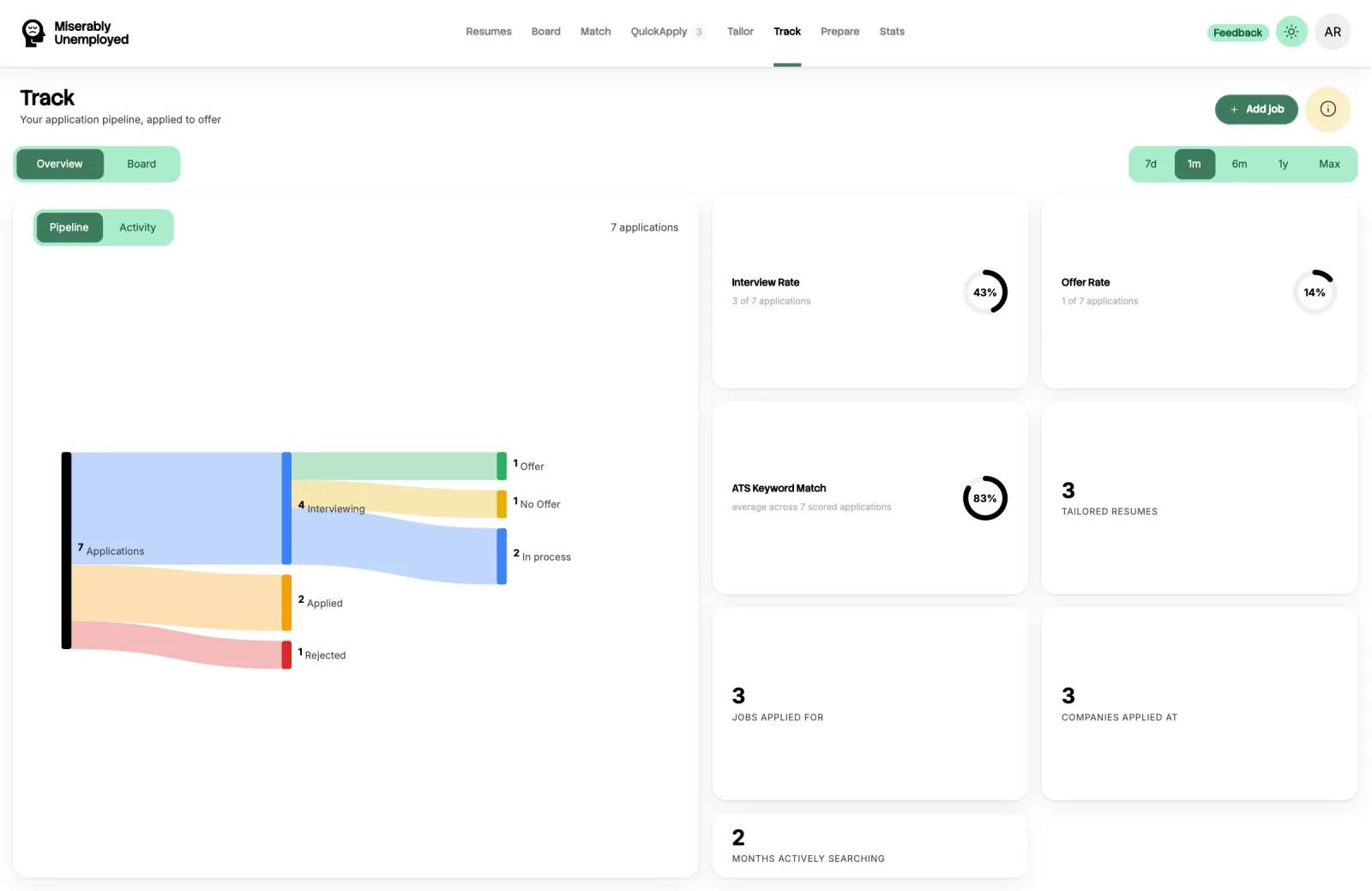
Track is the pipeline for every role you have saved or applied to, with the stage each one is at.
It keeps the tailored resume you sent with the application, and reports your interview and offer rates.
When to use it
- You have started applying and need to know what is outstanding.
- A recruiter has called and you need to see what you sent them.
- You want to know whether your applications are actually converting.
How to use it
-
Let it fill itself
Pressing Apply on a job, on the board or at the end of tailoring, files it here at the applied stage. Apply submissions land the same way, and pressing Apply twice does not file it twice.
-
Move things along
Update the stage as you hear back, so the pipeline reflects reality and the rates mean something.
-
Open what you sent
Each entry links the tailored resume that went out and the ATS score it had.
-
Read the rates
Interview and offer rates are calculated from the applications you have marked as sent. They are only as accurate as your stage updates. Once you have enough applications, the Activity view also compares your interview rate by how you applied, by keyword match and by application system, and says how long rejections take to arrive. A slice needs at least five applications before it shows.
-
Follow up on time
An application with no reply after a week, or an interview with no news after five days, gets a Follow up marker. Send your note, then press I followed up on the card. After two nudges on an unanswered application it stops asking, and the decision is whether it belongs in No answer. Turn on follow-up reminders in Settings to get the list by email once a week.
-
Paste a reply
Got an email from an employer? Paste it into Paste a reply. It is matched to one of your applications and read as an interview, a rejection, an offer or something else, with a suggested stage. Nothing moves until you confirm.
-
Prepare for the interview
Anything you tailored for shows up in Prepare already paired with the resume you sent. If you never tailored for it, Prepare still takes that job and any resume you have.
What it costs
Free. The pipeline, the stored versions, the rates, and reading a pasted reply do not use credits.
How credits workGood to know
The rates need honest stage updates
Nothing can detect that you were rejected by silence. If you never move an entry, the numbers will flatter you.
Tailored output is deleted after ninety days
The application entry stays, but the generated resume attached to it is deleted ninety days after it was created. Export anything from a search you might revisit later.
Pasted replies are read, not kept
An email you paste is sent to our AI model to be read, and is not saved. We never connect to your inbox; pasting is the only way a reply gets in.