Resume builder
The master resume everything else is built from
What it does
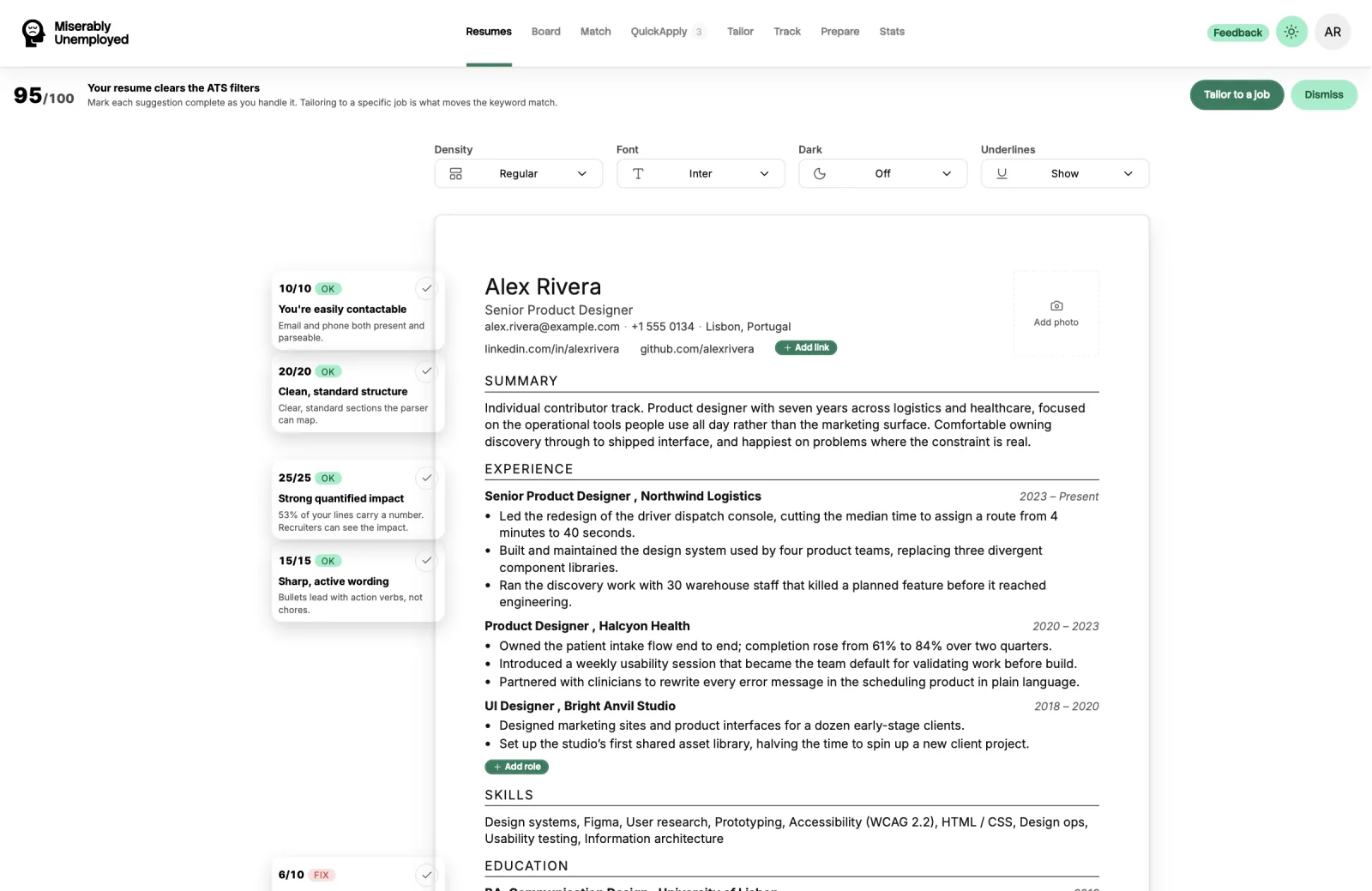
The resume builder stores your master resumes and scores them against applicant tracking system parsing rules while you edit.
Every other feature reads from the master resume you select, so this is the first thing to set up.
When to use it
- You are setting up for the first time.
- You are opening a second direction and need a separate resume for it.
- Your ATS score is low and you want to find out which part of the structure is causing it.
How to use it
-
Create or upload
Start a new resume, or upload an existing file and let it be parsed into the editor. Uploading is faster and you correct from there.
-
Fill it out properly
Include the roles, the dates, and the detail. This is the long version. You are not going to send this document, so completeness beats brevity.
-
Watch the ATS score
The score reflects how cleanly a parser can read the document. Work the structural flags first, they are the cheapest points to recover.
-
Name it for the direction
If you are applying in two directions, keep two resumes and name them so you can tell which to select in Match and Tailor.
-
Export when you need a file
Export to PDF or DOCX when you need to attach the master version somewhere directly.
What it costs
Free. Creating, editing, uploading, scoring, and exporting resumes does not use credits.
How credits workGood to know
The ATS score is a proxy
It measures how well a parser can read your document against common rules. Every employer configures their system differently, so a high score means you are unlikely to be dropped for formatting, not that you will pass a given screen.
Parsing an upload is not perfect
Unusual layouts, multi-column designs, and tables lose fidelity when parsed. Read what came through before relying on it.
Tailoring never edits the master
A tailored version is a separate document. Your master resume is left exactly as you wrote it.